Getting started
Introduction
Things to do and be aware of before the course starts. You can easily use this 'book' by clicking on 'Next' you see to the bottom right.
- Set up your profile in Moodle
- Take part in the pre-course survey at the beginning and later the post-course survey at the end of the course.
- Understand the course requirements in the course overview.
Setting up your profile in Moodle
When using any online platform in which you interact with others, it is always nice to have a picture and a brief profile so that when you post something people know who you are. In most exchanges, time is spent at the beginning for participants to get to know one another. This might involve exchanging videos, pictures or other similar activities. So, please take a few minutes to set up your profile here in this course platform by adding a picture (it does not necessarily have to be a picture of you but might be an image that represents how you see yourself) and add some basic information.
Thanks!
For those who are new to this system, here are the steps:
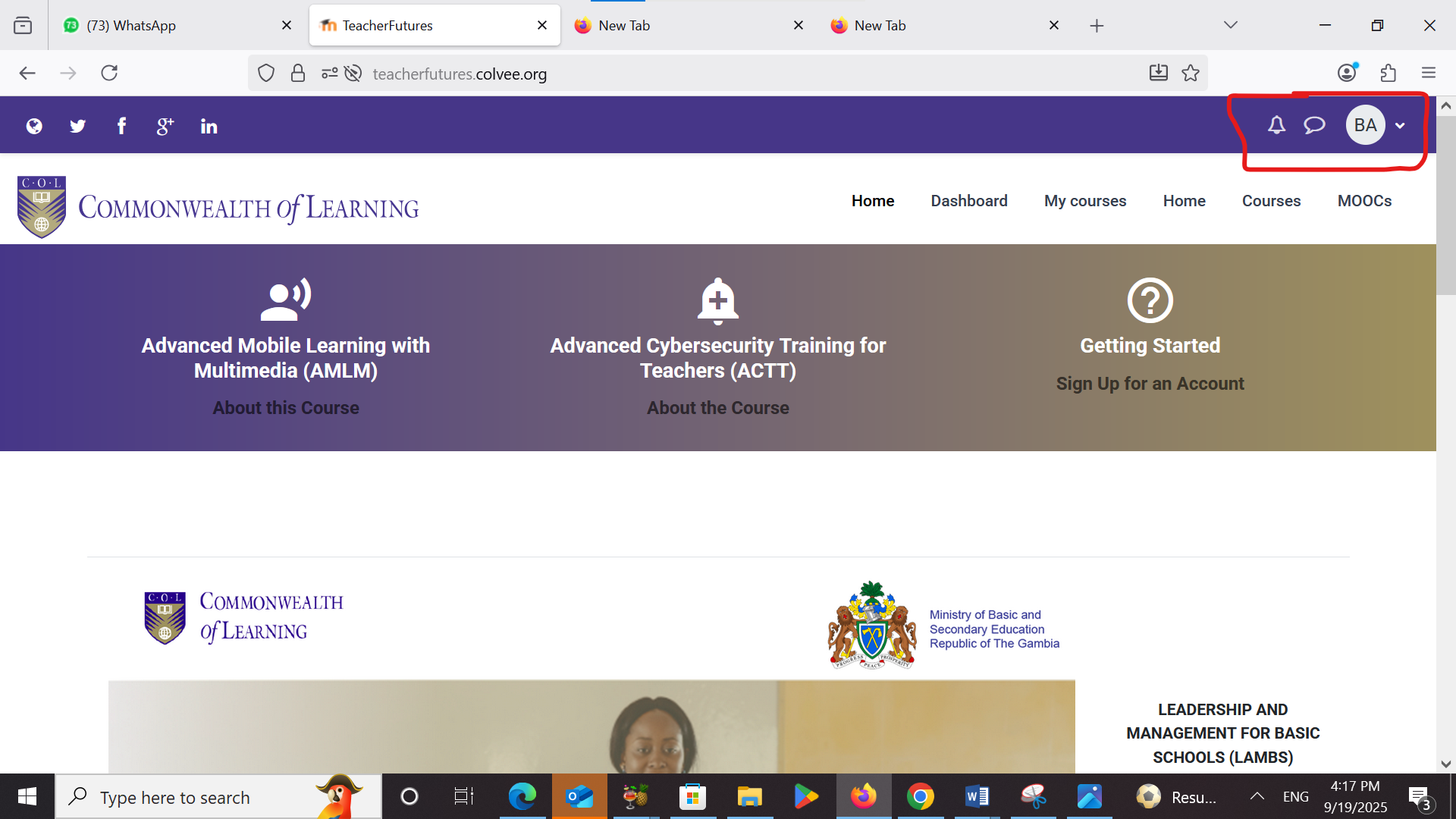
Step 1: In the upper right-hand corner of the Moodle screen you should see your name and a circle with/for your picture and a small, white arrow. Click on the arrow and from the dropdown menu then click on "Profile".
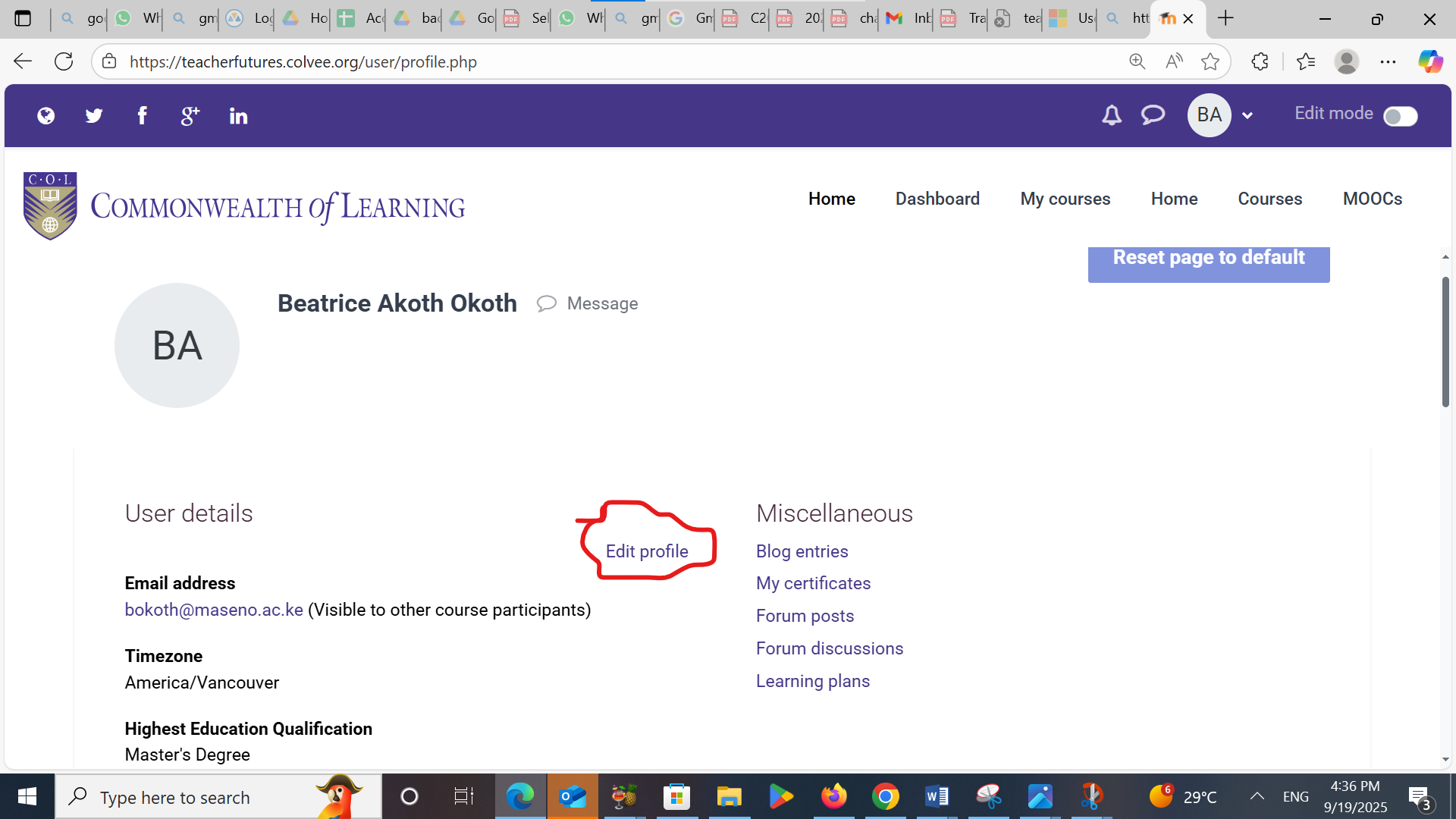
Step 2: Once you are on the Profile page, look for the image below where it says "User details" and click on "Edit profile". From there you can add an image and text with the information about yourself.
To move to the next page of this "book", please click on the arrow on the right of the page. Alternatively, you can open the "table of contents" using the tab on the top right-hand corner.