Identifying Bad Passwords
When creating passwords to either access your files, software or even your devices, it is important not to fall into the trap of creating simple passwords that you'll remember. While it is important to create passwords that are easy to remember, also be aware that a little bit of social engineering is enough to make a malicious individual easily crack your passwords. Passwords should be memorable for the user, but difficult for an attacker to guess.
To protect our devices, we should learn the pitfalls of weak passwords. Let's look at some examples of weak and strong passwords.
|
Weak Password |
Why it is Weak |
|
secret |
Simple dictionary word |
|
smith |
Maiden name of mother |
|
toyota |
Make of a car |
|
bob1967 |
Name and birthday of the user |
|
Blueleaf23 |
Simple words and numbers |
Other unique ones that appear strong, but are really not. If a malicious person was shoulder surfing, marking the order of how you enter your passwords with these passwords is not going to be hard.
!@#$%^&*
zaq1zaq1
1q2w3e4r
To emphasize how prevalent this is, take a look at 2019's most common passwords.
123456
123456789
qwerty
password
1234567
12345678
12345
iloveyou
111111
123123
Tools to measure the strength of passwords
Let's assume you have taken all this into consideration and you've come up with a password that's unique, employs a combination of both upper- and lower-case characters, numbers and symbols, how do you verify that your password is strong?
There are several tools that you can use to measure the strength of your password. This website tests how strong your password is and gives the results in the time period it would take to crack your password.
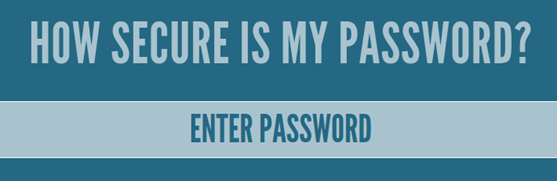
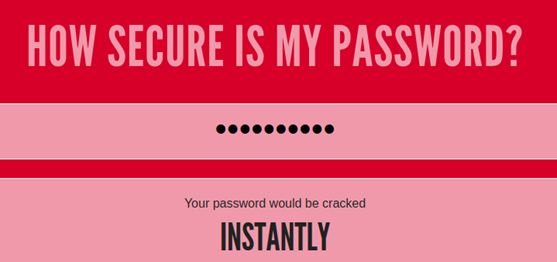
In this example, the password 1q2w3e4r5t will be cracked instantly.
Other websites include this one and this other one.
These tools test how easily and quickly a password brute-forcing software is able to crack your password. Password brute-forcing involves trying out all possible combinations of characters until the “correct answer” is found. This process can take a very long time, so dictionaries and lists that include common passwords like "qwerty" or "123456" are usually used.
Task: Look up your most frequently used password on HaveIBeenPwned to see whether your password has been exposed in any data breaches.